Would you rather want to play the game, instead of reading about it? That’s possible! Please follow the following link:
https://sambagames.itch.io/gutsofwind
Context
This project mainly focusses on the design side of games. Students were asked to come up with a new game and implement various game design principles in it. The goal was to actively think of themes such as design foundations, mechanics, feedback loops, game feel, economy, level structure, overall progression and many more principles relevant to game design. A prototype of your envisioned game was required where the various elements were visible and playable. As student you were required to document your ideas and design choices, as well as focusing on a select few principles regarding the game design topics.
///
Implementation
I came up with a 3D game where the player’s goal is to move up the floors of a construction building. Using a leafblower as weapon to blow enemies from the floors in order to progress.
My goal was to create a game with interesting mechanics that work well together and challenge the player. I managed to implement a wind effect that pushes obstacles and enemies away, which would be the core of the gameplay. Additionally, I added a mechanic that would let the player be resistant to outside wind with minor drawbacks to challenge the player from a different angle.
Because of time constraints I was not able to fully realize my vision and goals of the project. Unfortunately, I had to cut some features that were taking too much time, a wall that could be destroyed using the leafblower for example. In the end, I was able to make four levels, each in where a valuable mechanic was introduced for the player. For the project I mainly focused on level structure, core mechanics and dynamics, game feel and feedback loops. I also implemented a final boss fight to test the player’s control over the mechanics.
/
Project showcase
In this section I will look at the project and share some insights about the design choices, while showing some pictures of the project.
Level 1
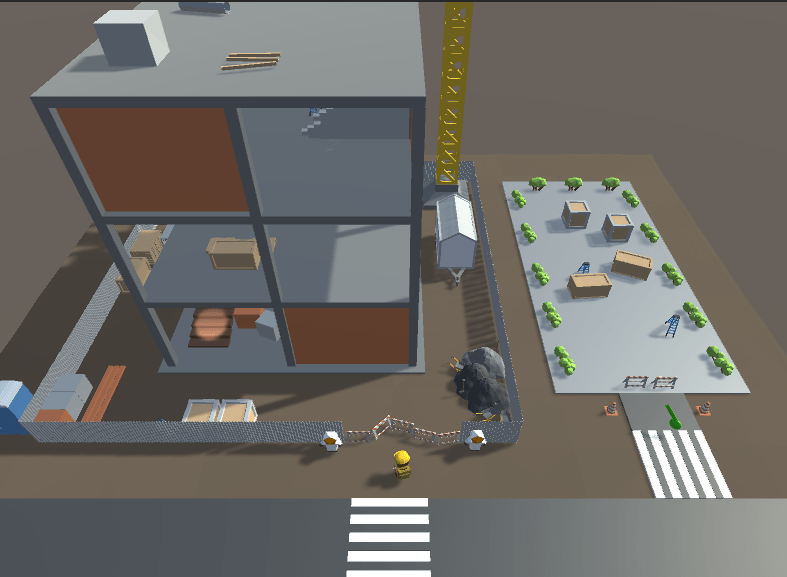
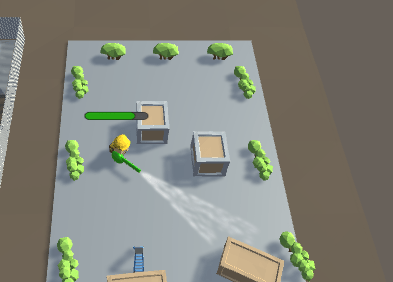
In the first level the player meets the construction building with a blocked entrance. On the right side of him is a floating object, indicating that this can be picked up. After picking up the leafblower, the player is able to test out its effect on the small terrain with various object. It is here that the player realizes a way to pass through the blocked entrance of the building, giving him access to the stairs to progress to the next level.
Level 2
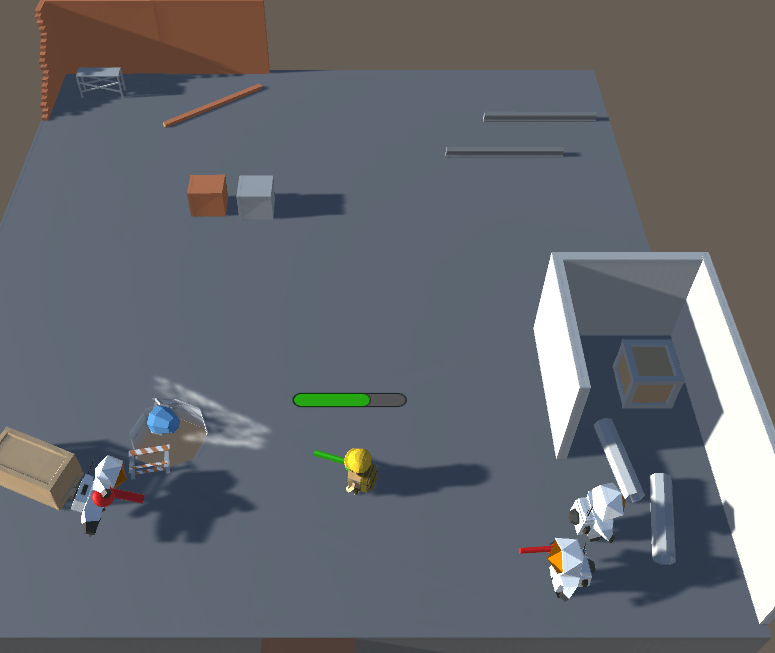
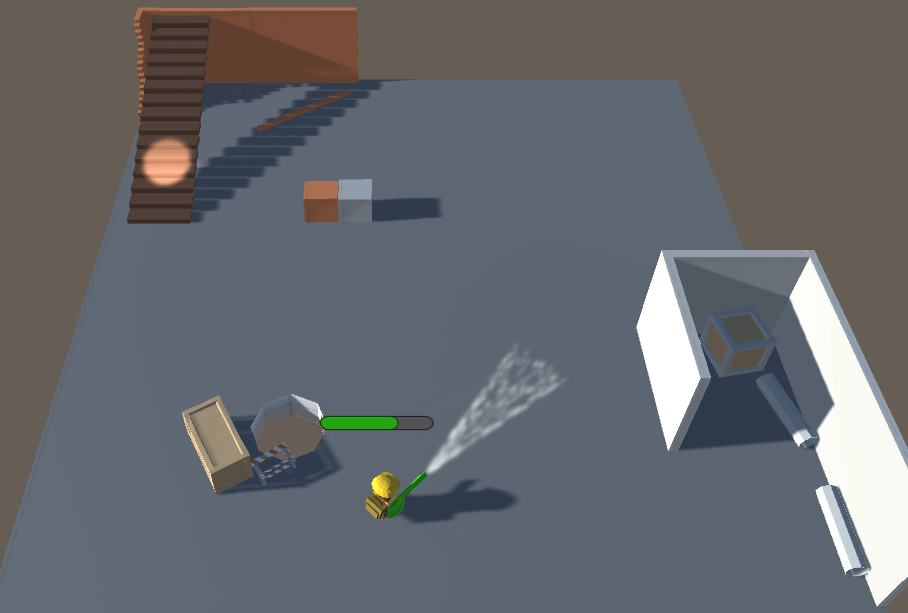
In the second level, players meet an enemy with a leafblower pointed at him. This let’s the player know that he himself can be blown off the platform. The player realizes that the enemies need to be blown off the platform, and starts chasing them to do so. It is here that the player fully learns the effect of the green bar above his head, indicating when the weapon needs to cool down. After successfully removing the enemies, a new set of stairs spawn with a spotlight to let players know they can move on to the next level.
Level 3
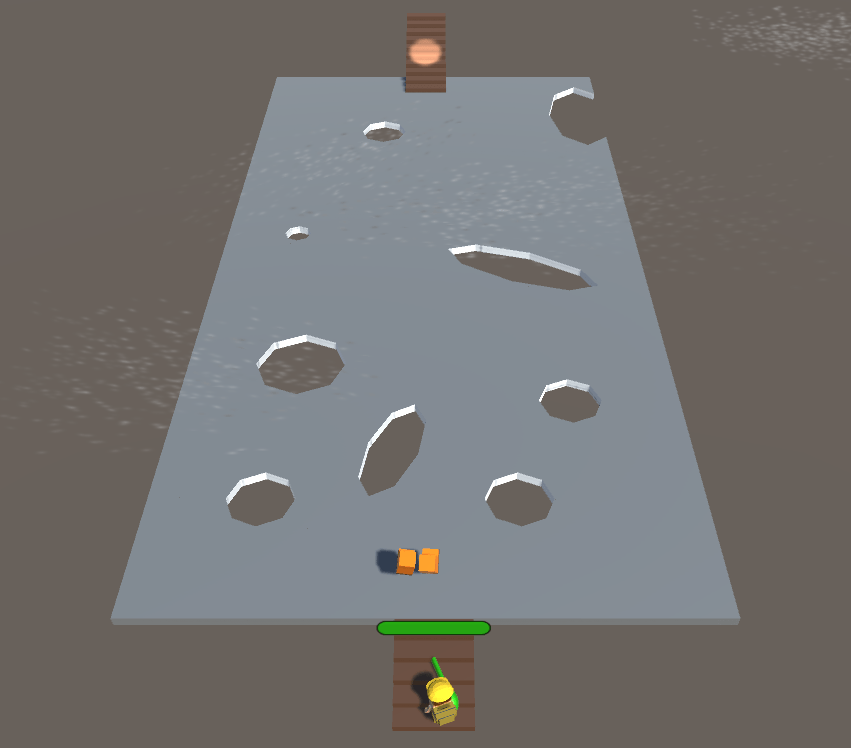
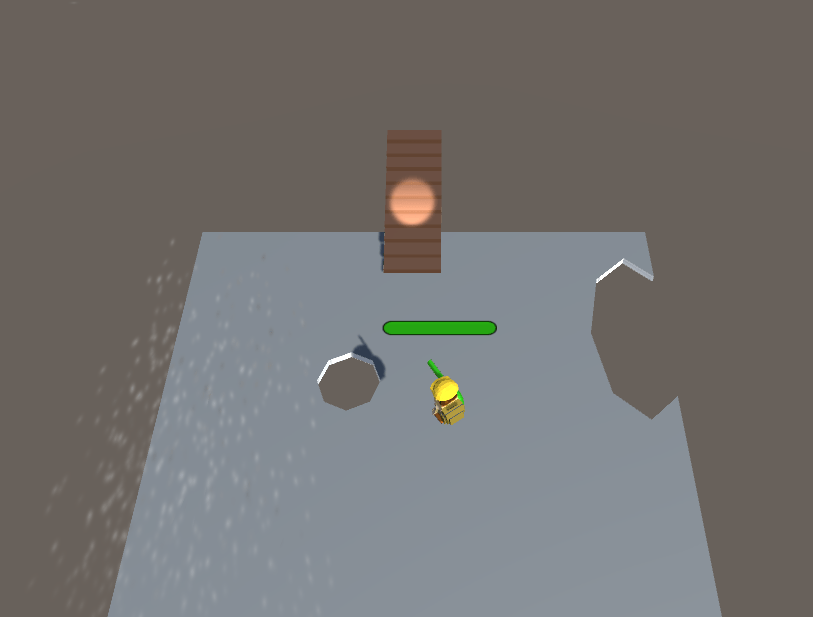
The third level introduces a new mechanic for the player: the workboots. This mechanic lets the player hold down a button for a short while to prevent being pushed away by outside wind. The level is designed to be a clear path towards the goal, where the player has to avoid being pushed off by the wind particles. The wind particles move in a predictable loop, to let the player know when to use his new mechanic.
Level 4
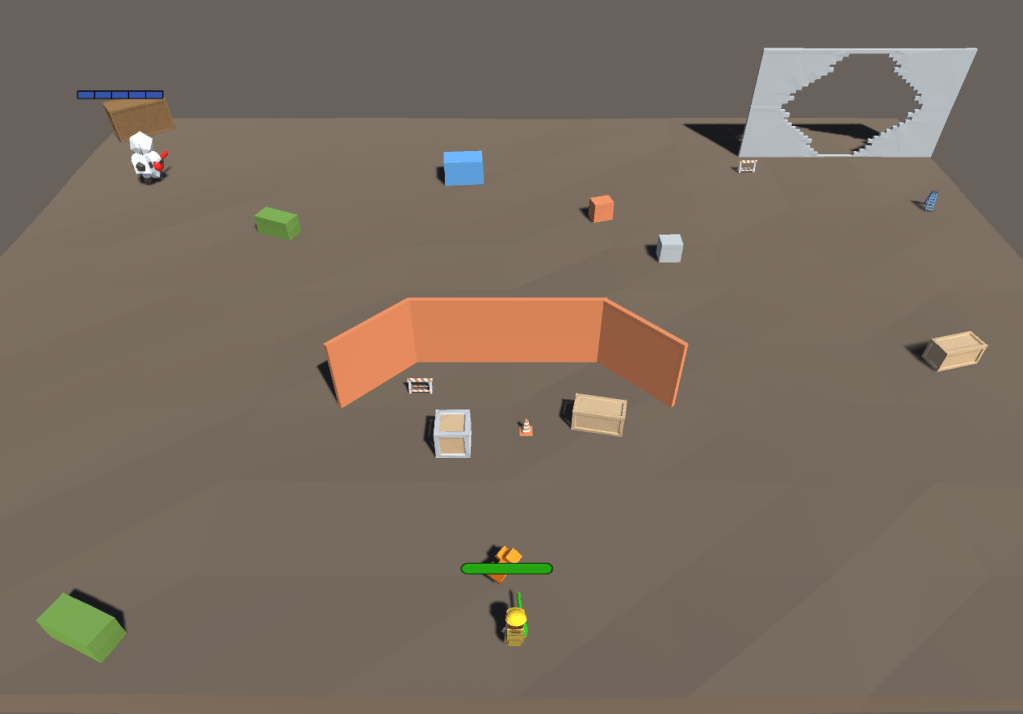
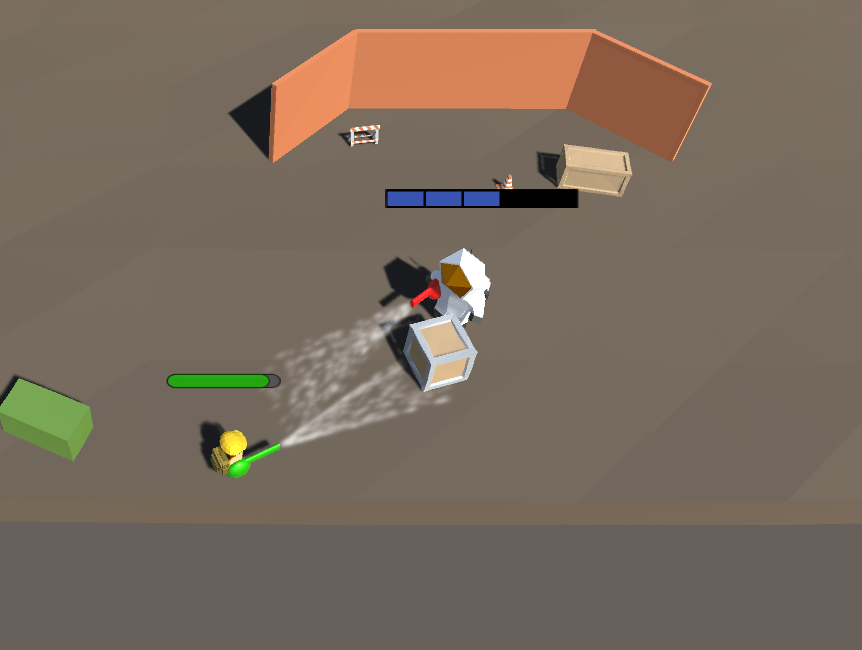
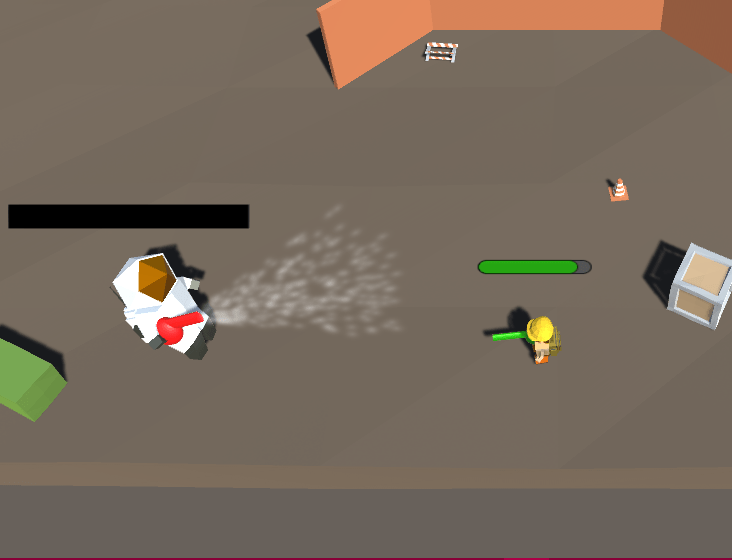
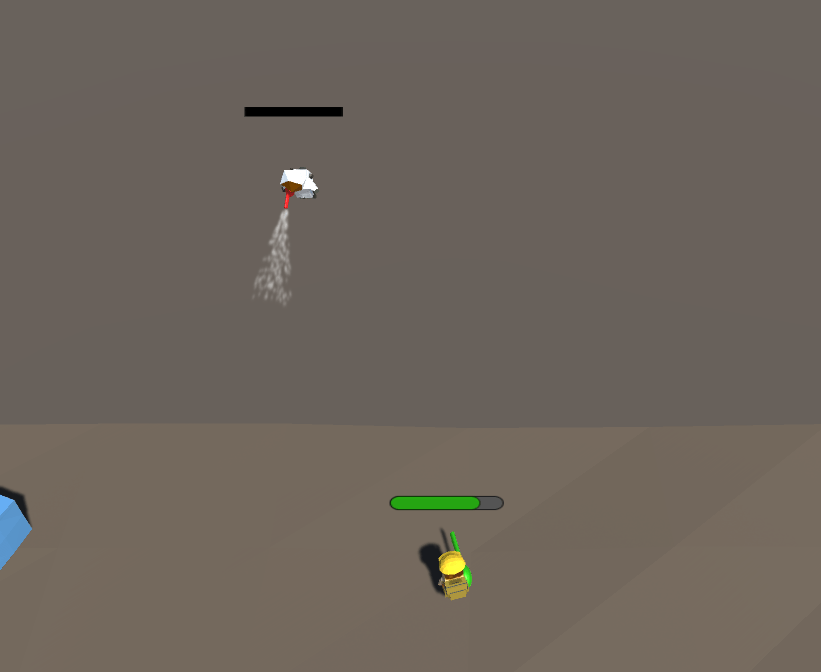
The last level introduces a boss fight wherein the player can showcase his control over the various mechanics. The boss has a blue bar above his head, that serves as his armor. The player’s goal is to blow the enemy off the platform. Using obstacles to hit the enemy, the player can lower the armor of the boss, making him lighter and easier to blow away. The boss operates in different states depending on the amount of armor he has. He can patrol, fire towards player, chase the player and run aggressively towards the player’s position. After the player successfully blows the boss off the platform, he gets taken to the win screen where he can restart the game from the beginning.
///
Programming showcase
Because this project was fully individually made, I wrote all the code used in the project myself. Since this was my first real project in Unity, it took some time to get used to the engine and the way programming is used. I experimented a lot and tried my best to keep my code clean and organized. I would like to share a few relevant programming tasks here, and clarify my ideas behind the implementation.
Leafblowers
First, I’d like to share the scripts for my implementation of the leafblowers. I made a parent class for leafblowers that can be used for the player and enemies respectively. In this base class I want to handle the firing of the particles, as well as showing a visible que when a leafblower is about to start firing.
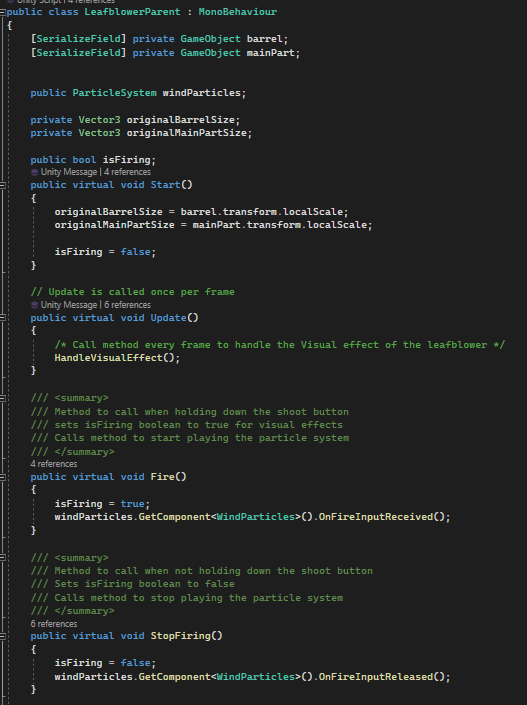
First I create the class and make two methods that can be overridden to use for firing the weapon. In these methods, I get a reference to the class that handles the particles of the wind, and call the method to start/stop the particles.
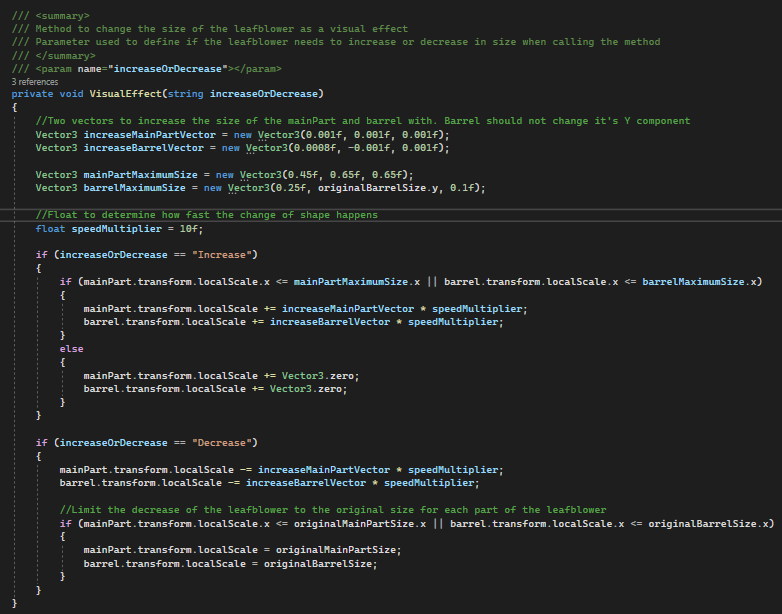
For the visual que, I would like to grow the size of the leafblower before firing, then decrease smoothly back to original size when the particles start. I make a method for this, called VisualEffect, that increases and decreases the scale of the leafblower’s objects (the barrel and the main part of the weapon). I use a few magic numbers after heavy testing to see what numbers work well visually. Since I don’t want to change these numbers later, I manually put them in a vector for this project.
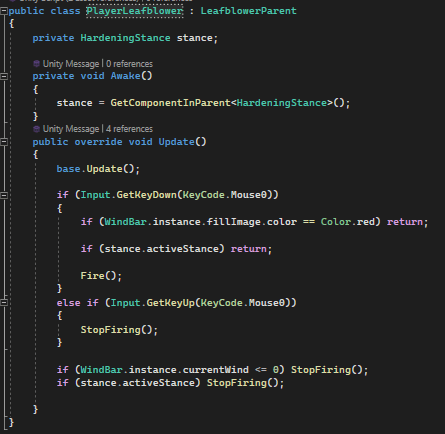
I make a seperate class for the player’s leafblower. In here we simply call the Fire and StopFiring methods based on the input. We use conditionals to see if we do not have a red windbar (will come back later) or if we are currently using our workboots mechanic. If these checks are okay, we can fire our weapon.
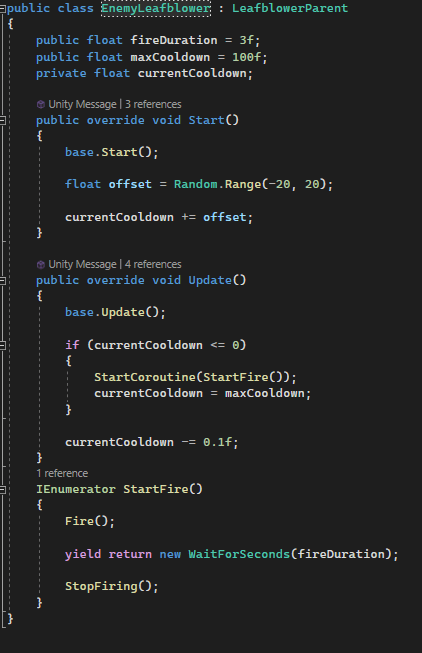
Now for the enemies. I want the enemies to fire for a duration, then stop and fire again after x duration. To do this, I use a coroutine to wait x seconds between firing and not firing. I add an offset in the start method to prevent all enemies in the scene from firing at the same time.
I took this approach for the enemies because I want them to be predicatbale for the player. I want the player to strategize around the enemies’ fire duration and their cooldown.
WindBar
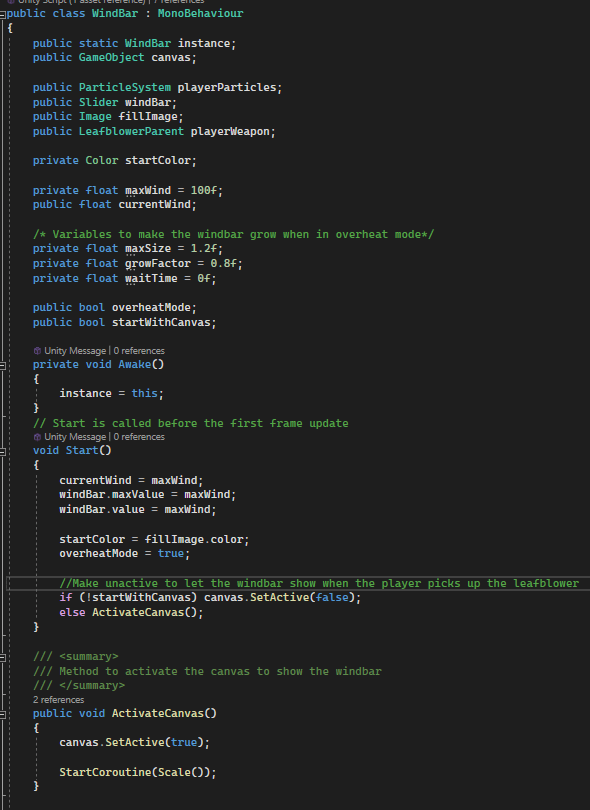
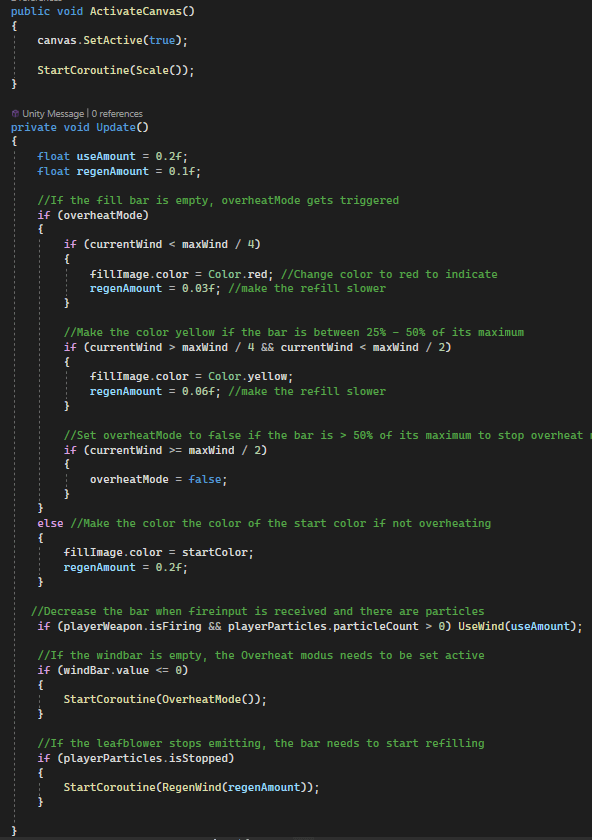
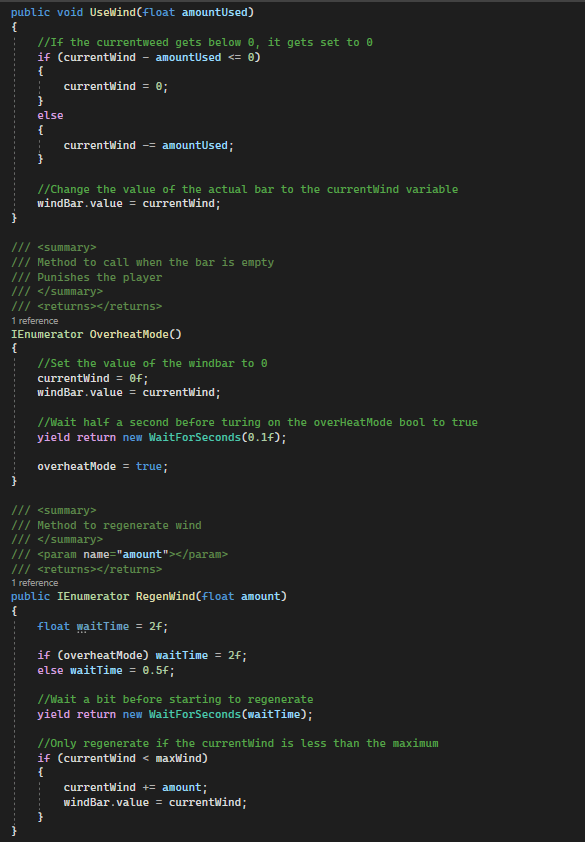
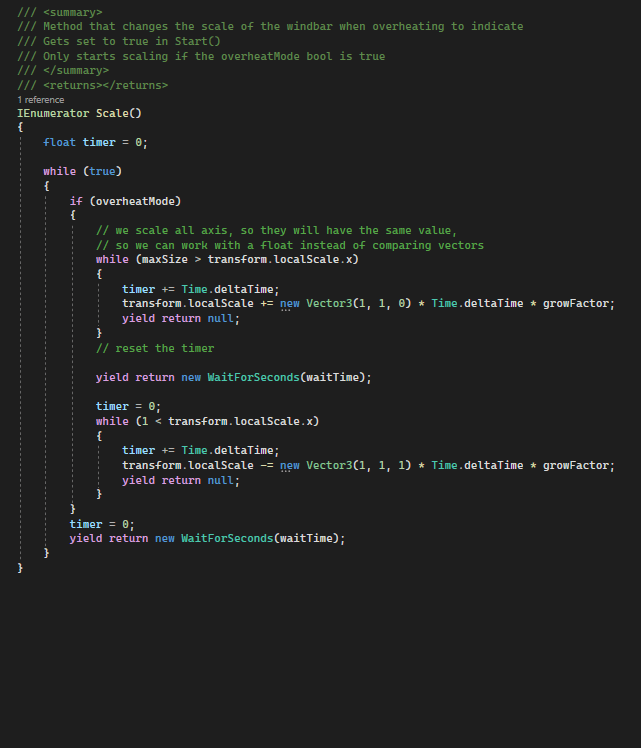
Next, I’d like to share my implementation of a healthbar-like component. The player has a bar attached to him, the so called windbar. This bar keeps track of how much wind the player can use. The windbar regenerates automatically when the player is not firing, and has a few other elements to it. The windbar’s color changes based on what the value inside is. It goes from green to orange to red. While in the green zone, the windbar regenerates a lot faster than the other zones. In the red zone, the regeneration time is much more delayed and slower. I want the player to manage his ammo in a rewarding way, punishing them if they use too much (negative feedback loop). To fully punish the player, the weapon will not be usable when completely running out of wind. When this happens, the player moves slower, cannot use his workboots and his weapon needs to recharge. To indicate when this happens(called overheatMode), the windbar will grow and shrink rapidly to get the attention of the player.
ArmorBar
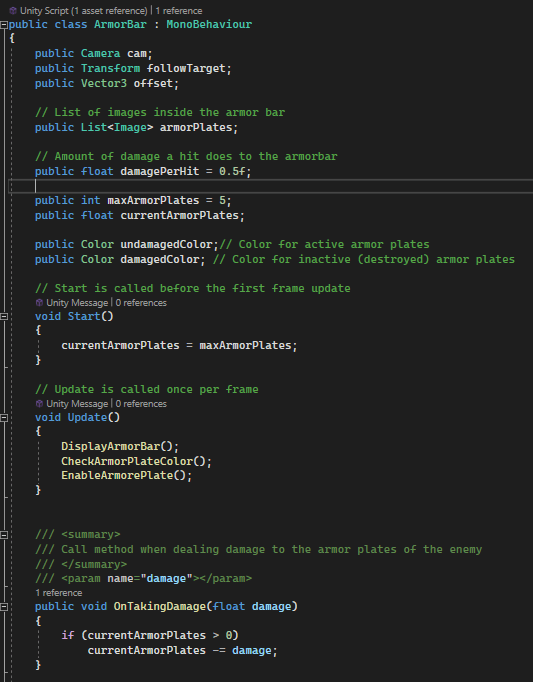
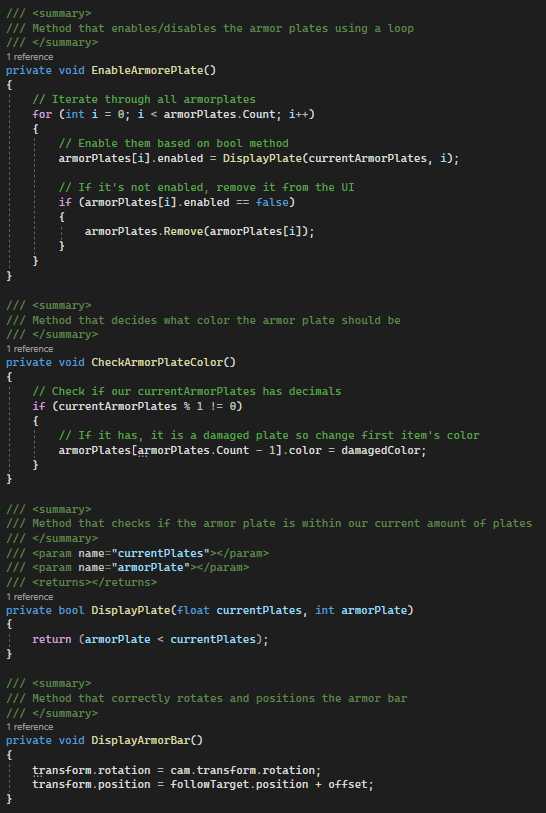
Similarly to the wind bar, I also added a ArmorBar to the project. This bar is only used for the single boss battle, and manages his armor plates. I wanted to have five armor plates, where each plate takes two hits to destroy. When a plate gets damaged, I want to change its color to a more darker blue to indicate it needs another hit. Here’s how I implemented it:
WindParticles and ParticleCollision
Finally, I’d like to share my scripts for activating the leafblower’s particles and for the collision detection. The WindParticles script looks like this:
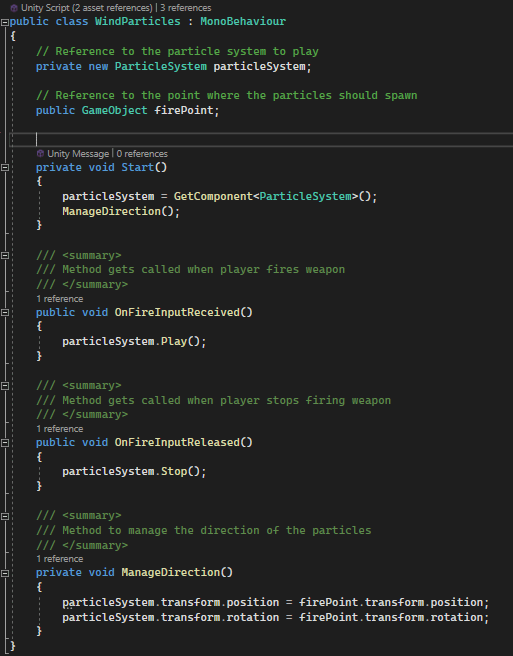
In here, we simply have two methods to stop or play the particle system that we have a reference to. The method get called from the player’s leafblower class. We also need to keep the particles firing in the correct direction, so we have a seperate method for that.
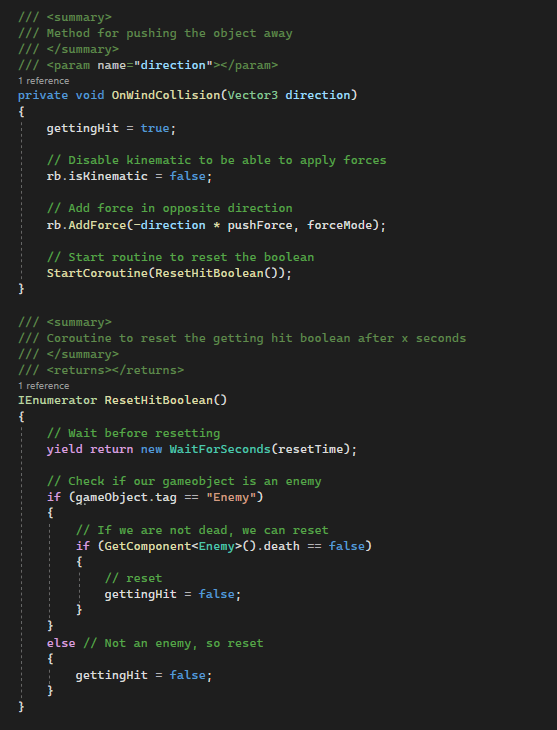
I’ve made a script for the collision with the particles of the leafblower. Because I want objects to be able to be pushed away, I create a custom script that I will add to every object that will be pushed away. I do this so I can modify the values of each object individually if needed, such as the push force and the force mode. I also make this script so I can apply it to enemies and the player as well, while being able to modify its values if needed. Here’s what I made:
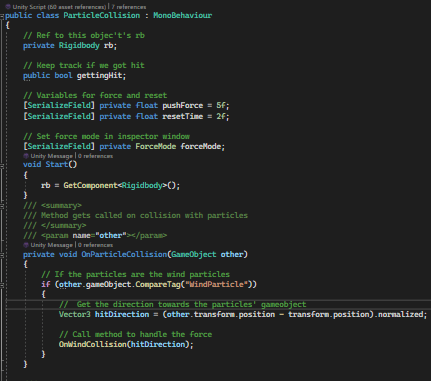
The ‘gettingHit’ boolean is used by other scripts for logic regarding enemy movement and others.
Conclusion
Even though I was still a beginner with Unity and had a few time constrains, I have loved working on this project. Overall I can say I am happy with the project and the results. Sadly, it is not possible to show all my work regarding this project in this portfolio, I do however hope I could give you a little insight of how I am as programmer. Disclaimer though! I realize I can improve my code in lots of ways and it is nowhere near perfect. I am happy with the solutions I came up with regarding some problems and obstacles, but I am mostly happy with how much I have been able to improve since starting this project. Revisiting this project and all the scripts reminded me of how much I have learned and improved since then. I feel like I have made great progress and improvements, primarily towards a more structured, better organized and optimized way of thinking and realizing.
 Sam Leguijt Portfolio